mcetl
stable

Contents:

  • Introduction
  • Installation
  • Quick Start
  • Tutorials
  • API Reference
  • Gallery
  • Contributing
  • Changelog
  • License
  • Author
mcetl
  • Docs »
  • Gallery
  • Edit on GitHub

Gallery

_images/main_1.png

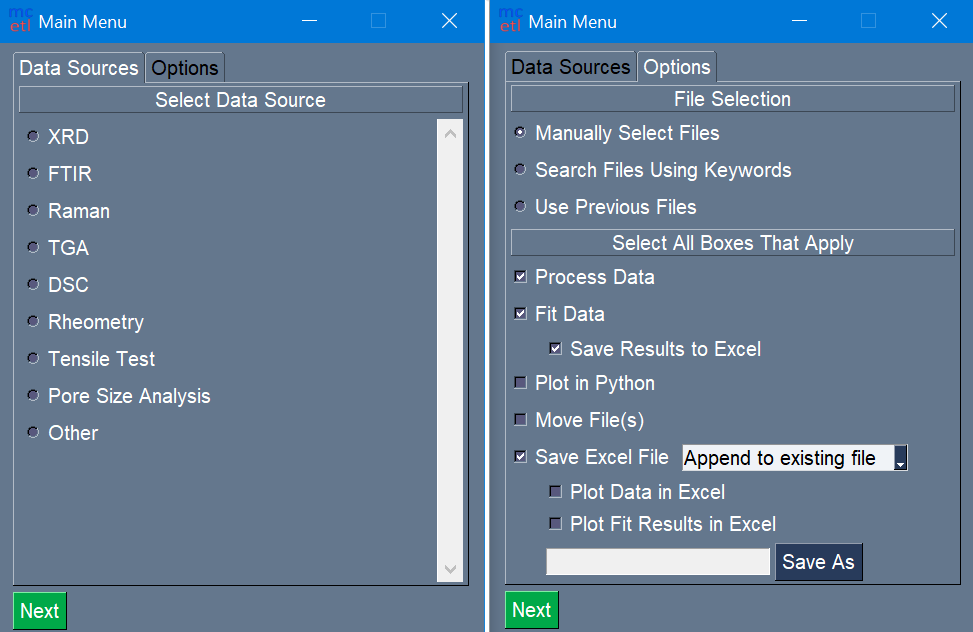
Selection of DataSource and processing steps for main GUI.
_images/file_selection.png

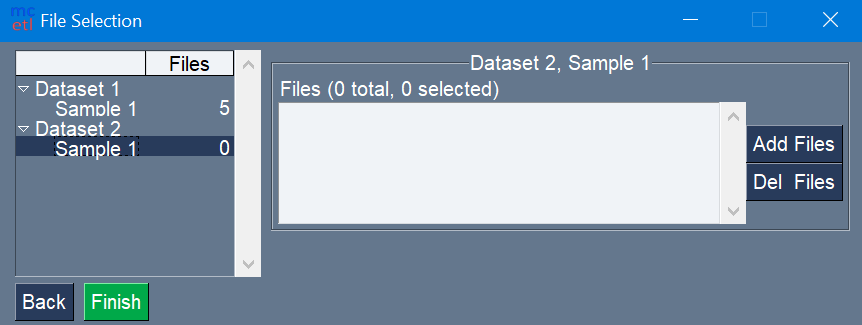
File selection for each sample in each dataset.
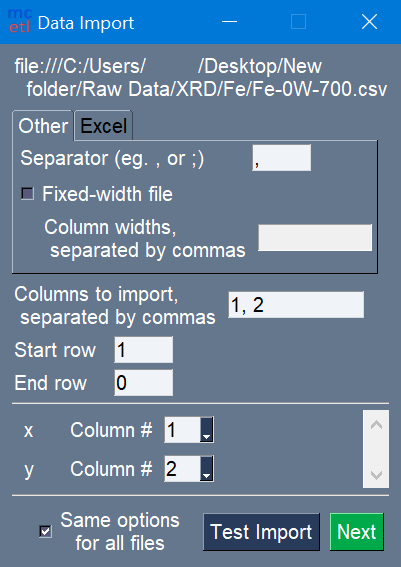
_images/data_import_1.png

Options for importing raw data.

_images/main_2.png

Naming of samples and columns, and setup for Excel plot.
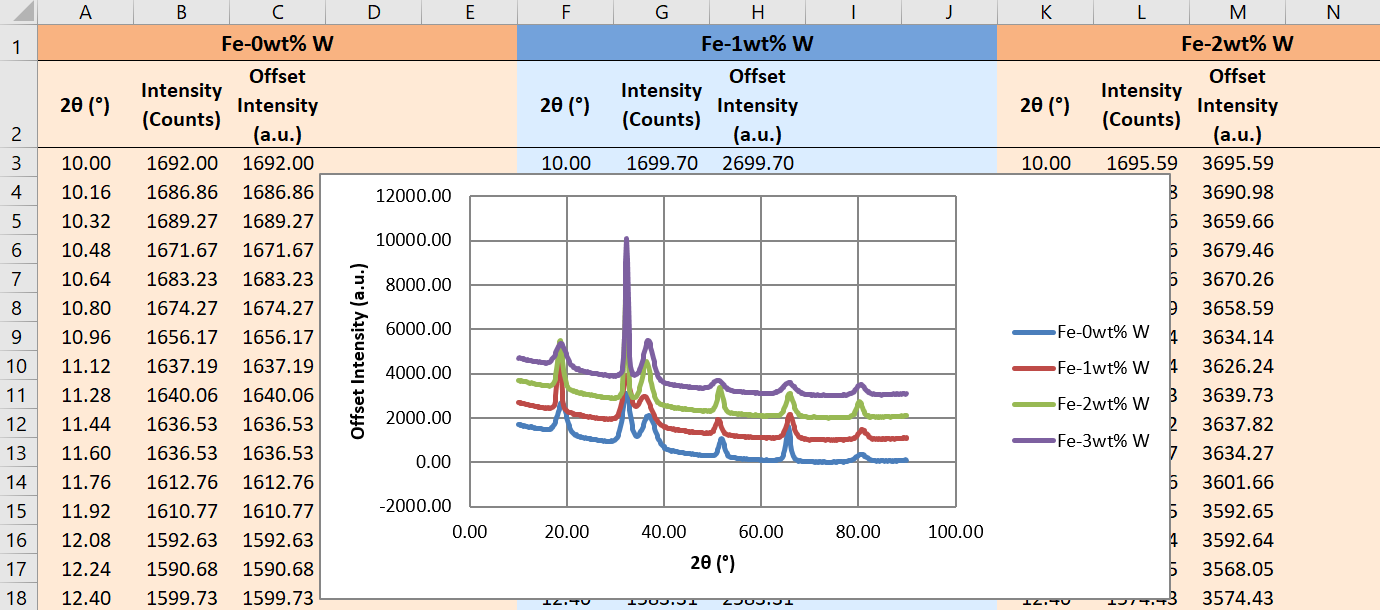
_images/excel_output_main.png

The output Excel file after processing all the raw data files.
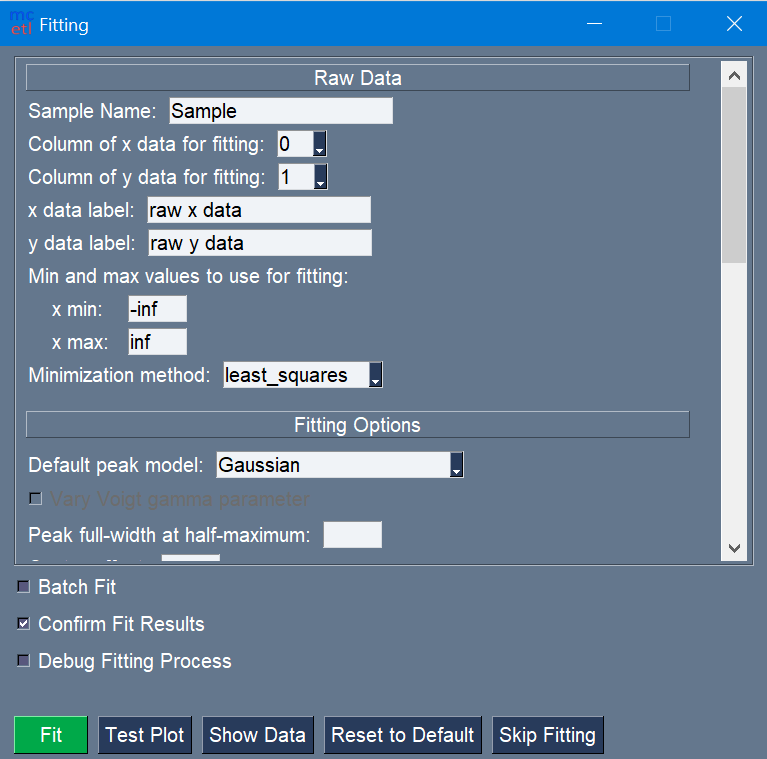
_images/fitting_1.png

The fitting GUI.

_images/fitting_2.png

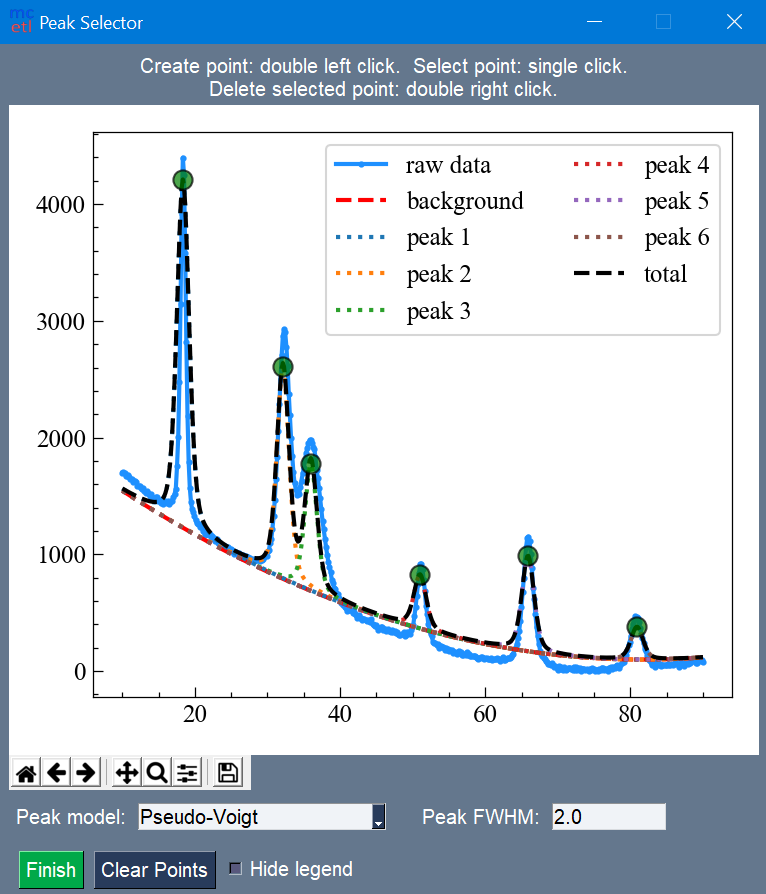
Manual selection of peaks within the data.
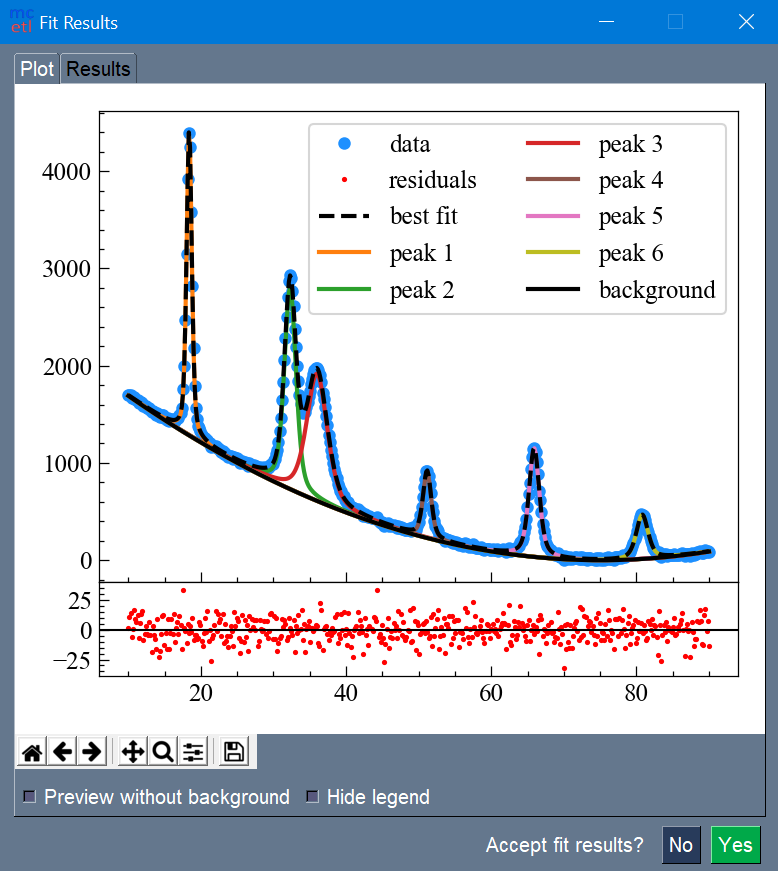
_images/fitting_3.png

Fit results with best fit and individual peaks.
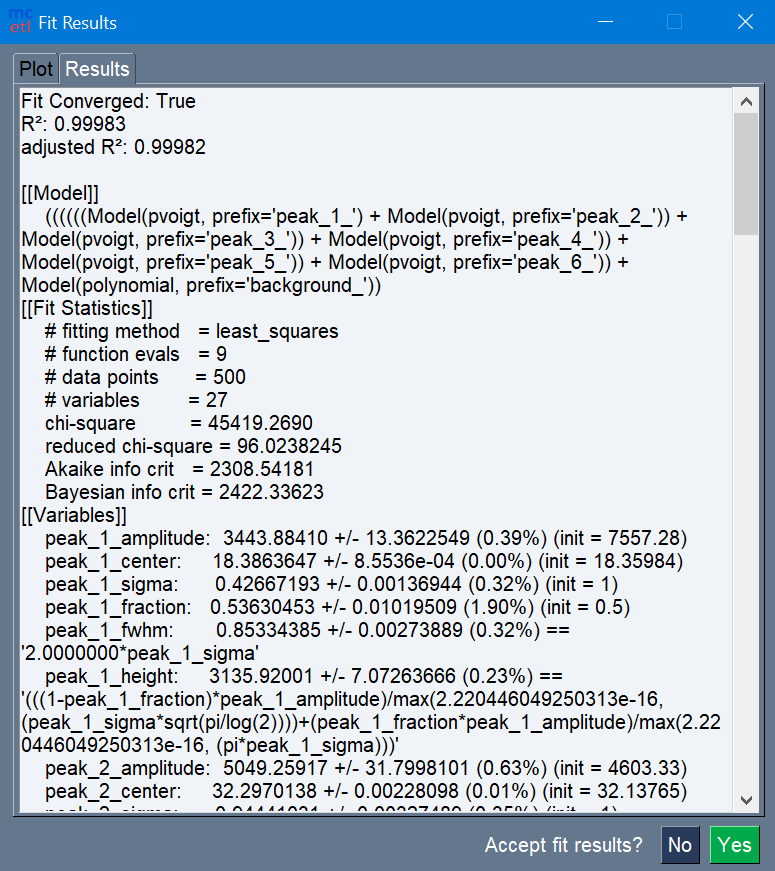
_images/fitting_4.png

Fit report for the fitting.

_images/excel_output_fitting.png

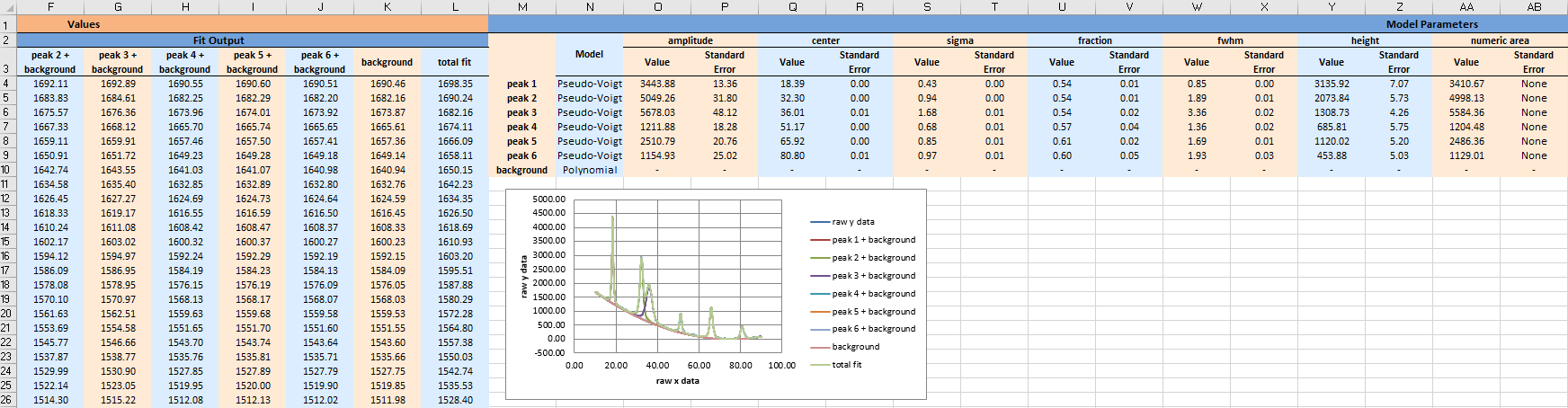
The output Excel file after fitting.

_images/plotting_1.png

The plotting GUI.

Next Previous

© Copyright 2020-2021, Donald Erb Revision bd770285.

Built with Sphinx using a theme provided by Read the Docs.